# Verifying API Data with Zero Knowledge (zkFetch)
[**zkFetch**](https://github.com/reclaimprotocol/zk-fetch) is an open source developer tool from [Reclaim Protocol](https://zkfetch.com/) that allows you to fetch data from any web API or website and generate a **zero-knowledge proof (ZKP)** of specific fields from that data, without revealing the entire response or private credentials.
One big benefit of this is that you can now build any application without the need of a trusted **Oracle**. Traditional oracles fetch and expose data from off-chain sources directly. **zkFetch flips the model**:
> It lets a user prove *they saw some specific data from an API response* — but keeps the rest of the response (and credentials) private.
This makes it perfect for:
* Privacy-preserving identity & credential verification
* Proving access to gated APIs or services
* Enabling Web2-to-Web3 use cases without exposing secrets
This guide will help you to build a web app that allows users to generate **zero-knowledge proofs** (ZKPs) about data fetched from a web API using **zkFetch**.
## Create a Reclaim Account
**Reclaim** is a decentralized identity protocol that allows users to prove facts about themselves, such as social media stats, financial data, or platform activity, using **zero-knowledge proofs (ZKPs)**. Rather than sharing raw data, Reclaim enables users to generate cryptographic proofs that can be verified on-chain without revealing the underlying information.
To get started, you’ll need to:
1. Visit [Reclaim](https://dev.reclaimprotocol.org/explore) and sign in.
2. Create a new application.
3. Save your **Application ID** and **Application Secret**.
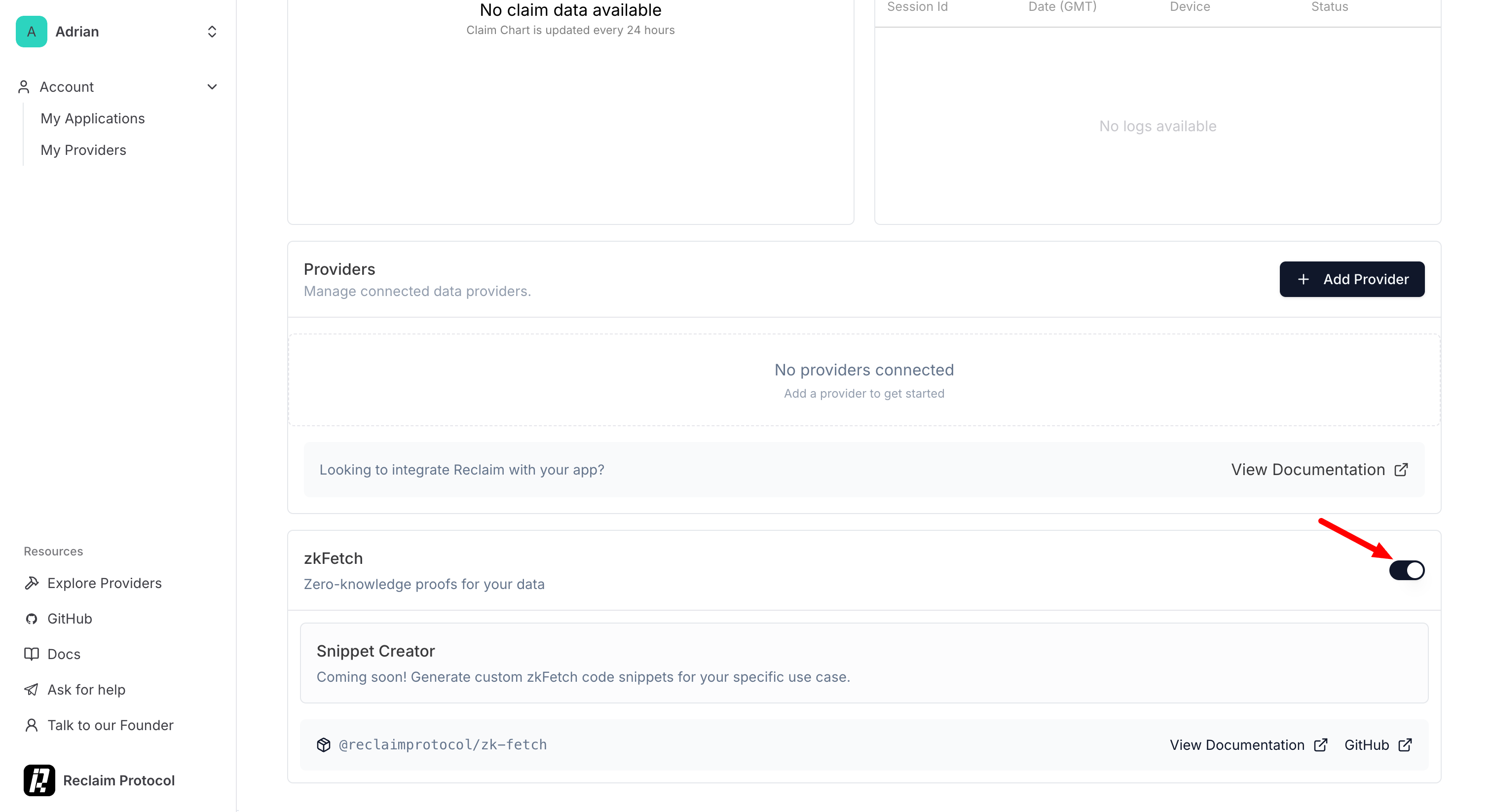
4. On the application details screen enable "**zkFetch**"
## Quick Start
Let's run the starter application as it was designed using the Coingecko API.
#### 1. Prerequisites
1. Make sure you have Node.js installed (v14 or higher)
2. Ensure your **.env** file has valid Reclaim credentials which includes the `REACT_APP_RECLAIM_APP_ID` and `REACT_APP_RECLAIM_APP_SECRET`. To get these values you’ll need to:
1. Visit [Reclaim](https://dev.reclaimprotocol.org/explore) and sign in.
2. Create a new application.
3. Save your **Application ID** and **Application Secret**.
#### 2. Clone the Starter Pack
```bash
git clone https://github.com/burnt-labs/zkfetch-client.git
cd zkfetch-client
npm install
```
#### 3. Run the post-install script (important for zkFetch setup)
```bash
npm run postinstall
```
#### 4. Start the Dev Server
```bash
npm start
```
The app runs locally at `http://localhost:3000`
## Understanding the Starter Application
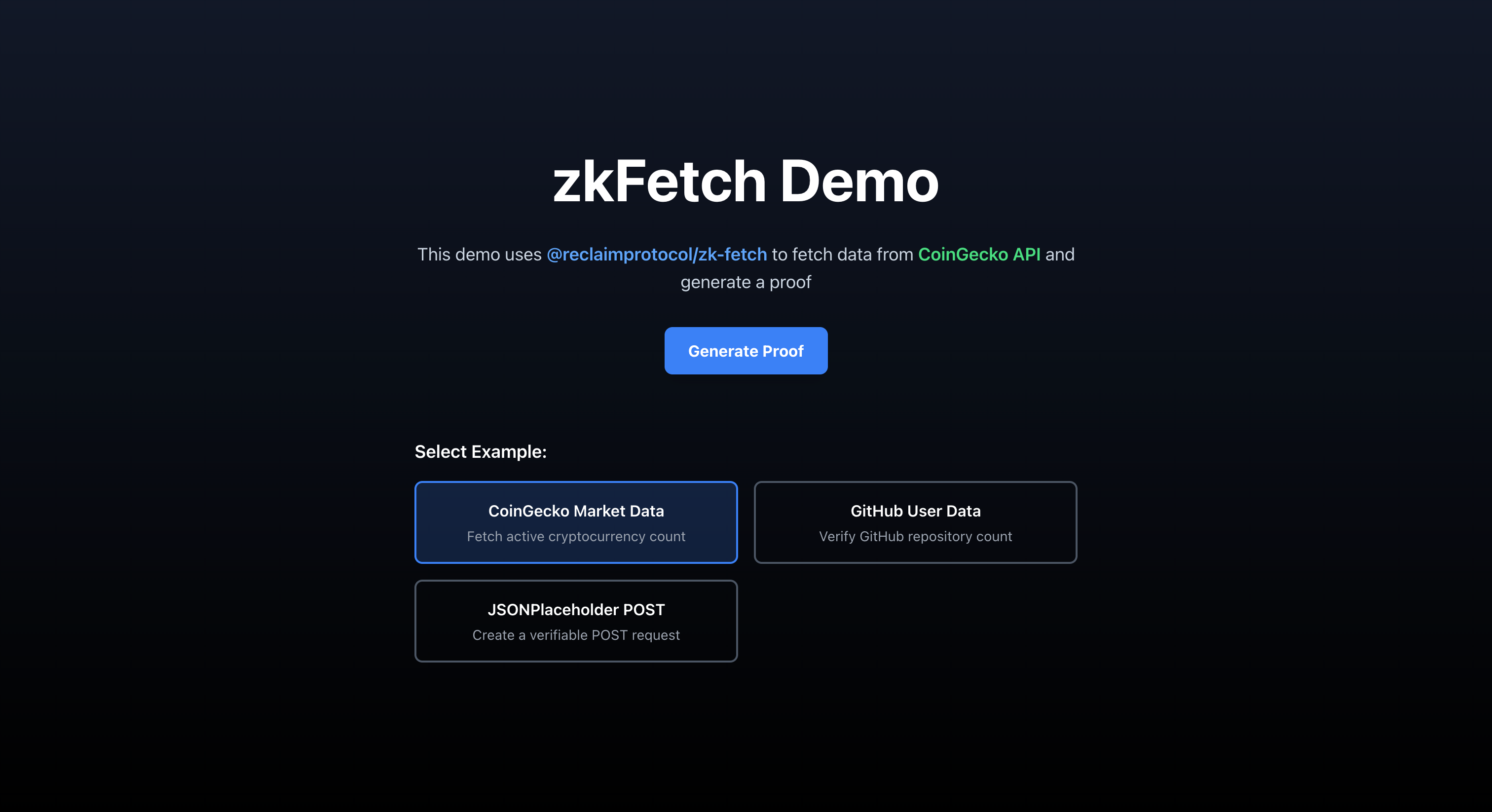
The starter application includes three pre-configured examples:
1. **CoinGecko API** - Fetches cryptocurrency market data
2. **GitHub API** - Retrieves user repository counts
3. **JSONPlaceholder** - Demonstrates POST requests
When you click "**Generate Proof**", the app:
1. Makes an API request through **zkFetch**
2. Extracts specific data using regex patterns
3. Generates a zero-knowledge proof
4. Transforms the proof for CosmWasm smart contracts
## How zkFetch Works
### Core Components
```javascript
const data = await reclaim.zkFetch(
url, // API endpoint
fetchOptions, // Method, headers, body
{
responseMatches: [...], // What to extract
responseRedactions: [...] // What to prove
}
);
```
### Response Matching
zkFetch uses regex patterns to extract specific values from API responses:
```javascript
responseMatches: [
{
type: 'regex',
value: '"field_name":\\s*(?\\d+)'
}
]
```
The `\\s*` handles optional whitespace in JSON responses.
## Building Your Own API Integration
### Step 1: Choose Your API
Let's add an ESPN API example to fetch sports scores:
```javascript
const examples = {
// ... existing examples ...
espn: {
name: 'ESPN NBA Scores',
url: 'https://site.api.espn.com/apis/site/v2/sports/basketball/nba/scoreboard',
method: 'GET',
responseMatches: [
{
type: 'regex',
value: '"name":\\s*"(?[^"]+)".*?"score":\\s*"(?\\d+)"'
}
],
responseRedactions: [{
regex: '"score":\\s*"(?\\d+)"'
}],
description: 'Prove NBA team scores without revealing full game data'
}
};
```
### Step 2: Handle Authentication (if needed)
For APIs requiring authentication, you can:
1. **Use API Keys in Headers**:
```javascript
headers: {
'Authorization': 'Bearer YOUR_API_KEY',
'Content-Type': 'application/json'
}
```
2. **Handle OAuth Tokens**:
```javascript
// User provides their own token
const userToken = prompt('Enter your API token:');
headers: {
'Authorization': `Bearer ${userToken}`
}
```
### Step 3: Define What to Prove
Use regex patterns to extract specific fields:
```javascript
// Extract a nested value
value: '"user":\\s*\\{[^}]*"email":\\s*"(?[^"]+)"'
// Extract array elements
value: '"scores":\\s*\\[(?\\d+)'
// Extract boolean values
value: '"verified":\\s*(?true|false)'
```
## Error Handling
Common issues and solutions:
#### 1. Regex Pattern Errors
If you see "regexp does not match found element":
* Check if the API response format changed
* Add `\\s*` to handle whitespace variations
* Test your regex on the actual API response
#### 2. CORS Issues
Some APIs block cross-origin requests:
* Use APIs that support CORS
* Consider using a proxy service
* Run a local proxy during development
#### 3. Authentication Failures
* Verify API credentials are correct
* Check if tokens have expired
* Ensure proper header formatting
## Generating Proofs
When a user clicks "**Generate Proof**":
1. **API Request**: zkFetch contacts the API endpoint
2. **Data Extraction**: Regex patterns extract specified values
3. **Proof Generation**: Reclaim creates a ZKP of the data
4. **Transformation**: Proof is formatted for blockchain use
The resulting proof contains:
* Extracted data values
* Cryptographic signatures
* Witness information
* Timestamps
## Using Proofs On-Chain (XION/CosmWasm)
The app transforms proofs for CosmWasm contracts:
#### Contract Message Format
```rust
#[derive(Serialize, Deserialize, JsonSchema)]
pub struct VerifyProofMsg {
pub claim_info: ClaimInfo,
pub signed_claim: SignedClaim,
pub extracted_data: HashMap,
pub witnesses: Vec,
}
```
#### Integration Example
```rust
pub fn verify_and_mint_nft(
deps: DepsMut,
info: MessageInfo,
proof: VerifyProofMsg,
) -> Result {
// Verify the proof is valid
verify_reclaim_proof(&proof)?;
// Check the extracted data
let score = proof.extracted_data
.get("score")
.ok_or(ContractError::MissingScore)?;
// Business logic based on proven data
if score.parse::()? > 100 {
// Mint achievement NFT
mint_nft(deps, info.sender, "High Scorer")?;
}
Ok(Response::new()
.add_attribute("action", "verify_proof")
.add_attribute("score", score))
}
```
## Advanced Features
#### Custom Proof Validation
Add validation before transformation:
```javascript
const validateProof = (proof) => {
// Check timestamp is recent
const proofAge = Date.now() - (proof.claimData.timestampS * 1000);
if (proofAge > 3600000) { // 1 hour
throw new Error('Proof is too old');
}
// Verify expected fields exist
if (!proof.extractedParameterValues.score) {
throw new Error('Score not found in proof');
}
return true;
};
```
#### Batch Proofs
Generate multiple proofs in sequence:
```javascript
const generateMultipleProofs = async () => {
const proofs = [];
for (const [key, example] of Object.entries(examples)) {
try {
const proof = await generateProof(key);
proofs.push({ api: key, proof });
} catch (error) {
console.error(`Failed for ${key}:`, error);
}
}
return proofs;
};
```
#### Proof Aggregation
Combine multiple proofs for complex verifications:
```javascript
const aggregateProofs = (proofs) => {
return {
aggregate_proof: {
proofs: proofs.map(p => p.verify_proof),
metadata: {
created_at: new Date().toISOString(),
proof_count: proofs.length
}
}
};
};
```
## Security Considerations
1. **Never expose API keys** in client-side code
2. **Validate proof timestamps** to prevent replay attacks
3. **Verify proof signatures** in your smart contract
4. **Rate limit** proof generation to prevent abuse
5. **Sanitize regex patterns** to avoid ReDoS attacks
## Troubleshooting
### Debug Mode
Enable detailed logging:
```javascript
console.log('API Response:', await response.text());
console.log('Regex Pattern:', example.responseMatches[0].value);
console.log('Extracted Values:', proof.extractedParameterValues);
```
### Common Error Messages
* **"Application not found"**: Check Reclaim credentials in .env
* **"Failed to send logs"**: Normal in development, ignore
* **"Regex does not match"**: Update pattern for API changes
* **"CORS blocked"**: Use a CORS-enabled API or proxy
---
# Agent Instructions: Querying This Documentation
If you need additional information that is not directly available in this page, you can query the documentation dynamically by asking a question.
Perform an HTTP GET request on the current page URL with the `ask` query parameter:
```
GET https://docs.burnt.com/xion/developers/verification/internet-verification/verifying-api-data-with-zero-knowledge-zkfetch.md?ask=
```
The question should be specific, self-contained, and written in natural language.
The response will contain a direct answer to the question and relevant excerpts and sources from the documentation.
Use this mechanism when the answer is not explicitly present in the current page, you need clarification or additional context, or you want to retrieve related documentation sections.